
Softbase eHealth Practice Management
A smarter way to run your booking day
Give your reception and practice teams one clear place to manage appointments, patients, provider availability, reminders, billing and payments.
REGISTER FREE SIGN IN PATIENT ONLINE BOOKING
Register your medical centre free and use Softbase eHealth free for the first three months.
See the whole month before choosing a time
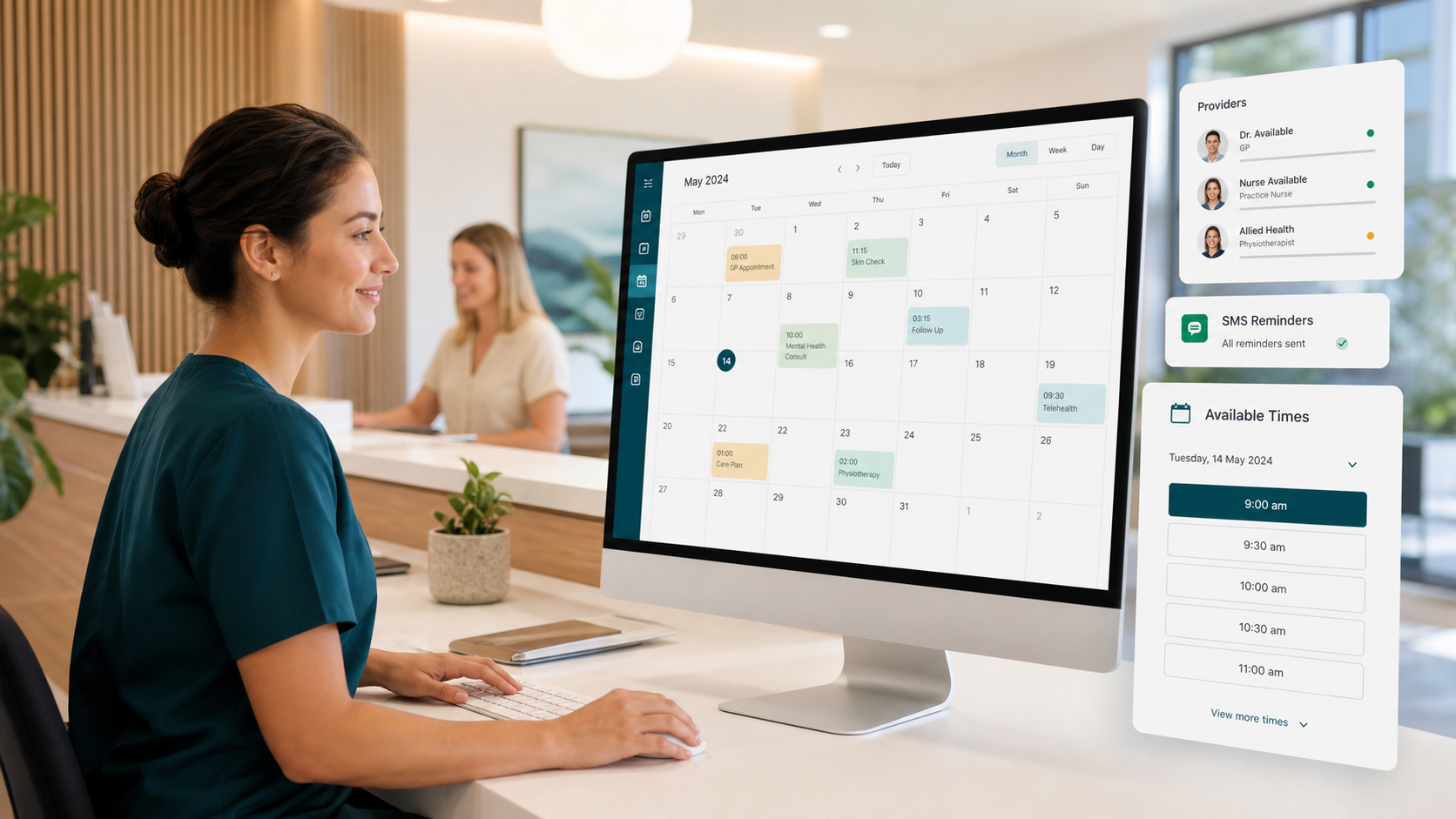
A busy medical practice should not have to fight its appointment calendar. Softbase eHealth provides a modern monthly view that helps staff understand how busy each day is before creating an appointment.
Each day can show its current booking total and provider time-off information. Select a suitable day to view the available appointment times, choose a slot and complete the booking. It is a simple, guided process that reduces guesswork and keeps the booking desk moving.
Everything your team needs to stay organised
- View appointments by day, week or month.
- Display every monthly booking without hiding later appointments.
- Filter bookings by provider, patient and payment type.
- See provider schedules, availability and planned time off.
- Create, change, re-book, confirm, cancel and check in appointments.
- Choose from available appointment times before opening the booking form.
- Review patient booking history without leaving the calendar workflow.
- Send SMS reminders and review patient replies for the selected day.
- See whether each SMS reminder was sent successfully.
Designed for busy reception teams
The eHealth booking workspace keeps useful patient and appointment information close at hand without making the screen feel crowded. Staff can move from the calendar to patient details, booking history, reminders, checkout and reporting with fewer unnecessary page changes.
Whether your practice is managing a quiet consulting day or a full clinic list, eHealth provides a clearer picture of what is happening now and what is coming next.
More than an appointment calendar
Bookings connect naturally with the wider practice-management workspace:
- Patient records: maintain contact, Medicare, referral and administrative information.
- Provider management: configure working hours, appointment duration and time off.
- Files and letters: securely organise patient attachments and correspondence.
- Invoices and payments: move from the completed appointment to checkout and payment recording.
- Bulk-billing administration: create and retain Assignment of Benefit records as part of checkout.
- Reports and exports: review daily activity and export patient, invoice and payment information.
A practical workflow from appointment to payment
1. Book and prepare
Select a provider and day, review the available times, create the appointment and prepare the patient record.
2. Remind and check in
Send SMS reminders, review replies, update the booking status and keep the daily calendar current.
3. Checkout and report
Create invoice and payment records, complete bulk-billing administration and keep operational reporting consistent.
What practices say about eHealth
★★★★★
“This system saved us hours every day. Our no-shows dropped significantly.”
★★★★★
“Billing is so much faster now. Cash flow improved within weeks.”
★★★★★
“Easy to use, and the support team is amazing.”
Built for secure day-to-day operations
Softbase eHealth uses role-based access and medical-centre data separation to help each authorised team work with the information relevant to its practice. It also supports secure document storage, account verification, PIN-protected actions and production reCAPTCHA configuration.
Medicare Online claiming is being prepared as a future capability and is not included in the current production rollout.
Give your practice team a clearer working day
Register your medical centre and explore Softbase eHealth free for the first three months.
Softbase Pty Ltd · Australian-developed practice-management software